Edit Outline Colours for all Zones
Editing a Zone Outline Colour for all Zones
-
Click the 'Layers' button which is located on the HOME ribbon.

-
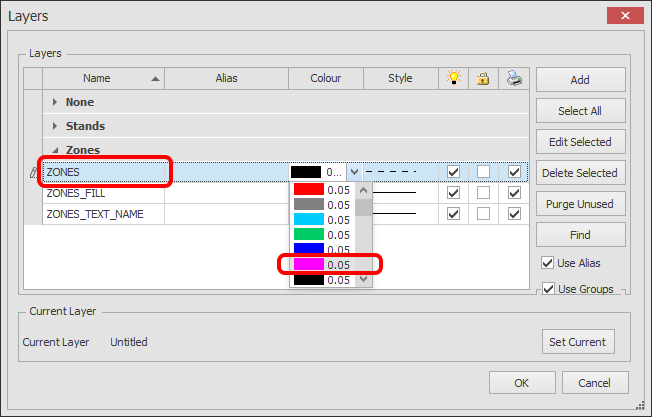
The Layer Manager dialog box will now appear as shown below.
Find the ZONES Layer and choose the required colour from the Colour selector.
Click OK. All of your Zones outlines will be the colour you selected.