Edit Zone Name Colours for all Zones
Editing a Zone Name Colour for all Zones
-
Click the 'Layers' button which is located on the HOME ribbon.

-
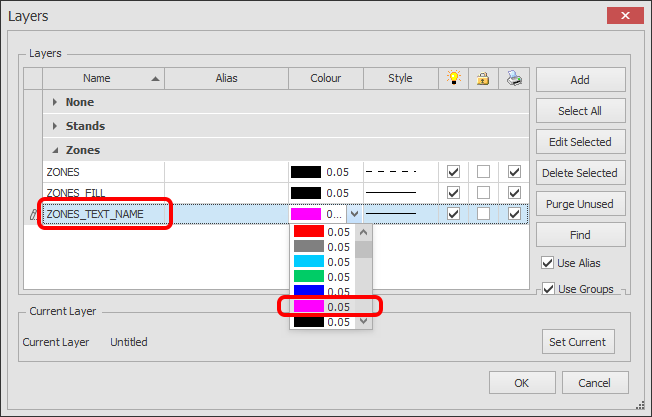
The Layer Manager dialog box will now appear as shown below.
Find the ZONE_TEXT_NAME Layer and choose the required colour from the Colour selector.
Click OK. All of your Zones names will be the colour you selected.