Edit a Zone Fill Colour
Editing a Zone Fill Colour
-
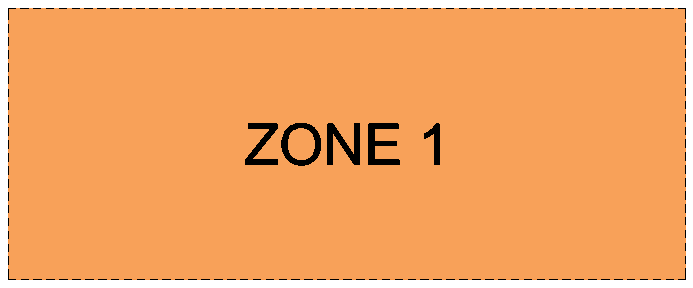
Zoom to the Zone you want to edit and double-click on it.
You can also edit most Zone properties using the Edit Zones function which allows you to edit multiple Zones in one place.
-
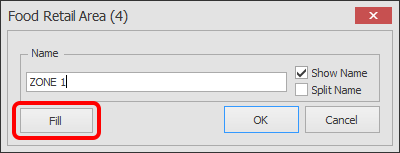
The Zone edit box will now appear as shown below.
Click on the Fill button.
-
The Fill Options will now appear.
Read all the options available below to help you select the Fill Type/Colour you want.
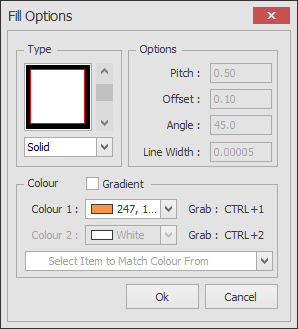
Type:
This allows you to choose how the Zone is shaded. The most common is Solid but you can also use Single, Double or Cross hatch lines.
Options:
- Pitch: This is only available when Single, Double or Cross hatch type is selected and specifies how large the gap is in between each hatch line.
- Offset: This is only available when the Double hatch line type is selected and specifies the gap between the 2 hatch lines.
- Angle: This is available when Solid (with Gradient ticked) or Single, Double or Cross hatch type is selected. For hatch types it lets you specify the angle of the hatch lines. For Solid with the Gradient option ticked it allows you to specify the angle of the gradient.
- Line Width: This is only available when Single, Double or Cross hatch type is selected and specifies the thickness of each hatch line.
Colour:
- Gradient (tick box): This is only available when Solid type is selected. Tick this to allow you to choose 2 colours.
- Colour 1: This is available when Solid, Single, Double or Cross hatch type is selected. Choose a colour from the drop down box or move your mouse over something on your screen and press CTRL+1 to grab the colour.
- Colour 2: This is only available when Solid type is selected and the Gradient tick box is ticked. This allows you select the 2nd colour of your gradient fill or move your mouse over something on your screen and press CTRL+2 to grab the colour.
- Select Item to Match Colour From (drop down box): If there are colours already used on your floorplan for other Zones, Hall Boundaries or Stands that you want to use on your new Zone, click this box and select as required.