-
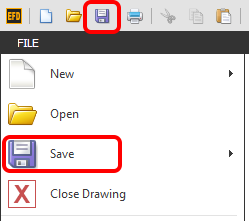
Go to FILE > Save or click on the Save icon along the top left of the screen as shown below.
TIP: You can also initiate this function by using the default Hot Key ' Ctrl + S '
NOTE: When you save a drawing, a copy of that drawing is saved to the Versioning folder.