Export to Naviga Event
(Previously Elan)
Naviga Event is a Conference & Event Management software package supplied by Naviga (previously Media Services Group). Naviga Event has some basic floorplan amendment capabilities so, this export function was created to allow the easy transfer of your EFD plan to it. It is not yet possible to import the Naviga Event plan back into EFD but may be available in a future update.
Please Note: All of the instructions below refer to the old name "MSG" because we have not updated the new names since MSG was renamed to Naviga.
Exporting to MSG Élan
-
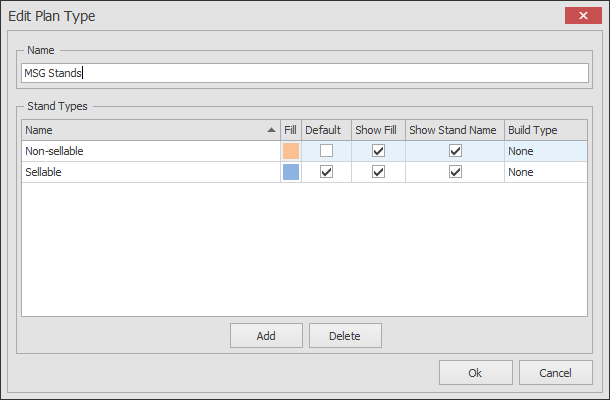
Before exporting your floorplan to Elan you need to create a new Plan Type called 'MSG Stands'.
The easiest way to do this is to import the plan types from this file, just remember to rename the plan type from MSG Stands - Imported to just MSG Stands (remove - Imported).
-
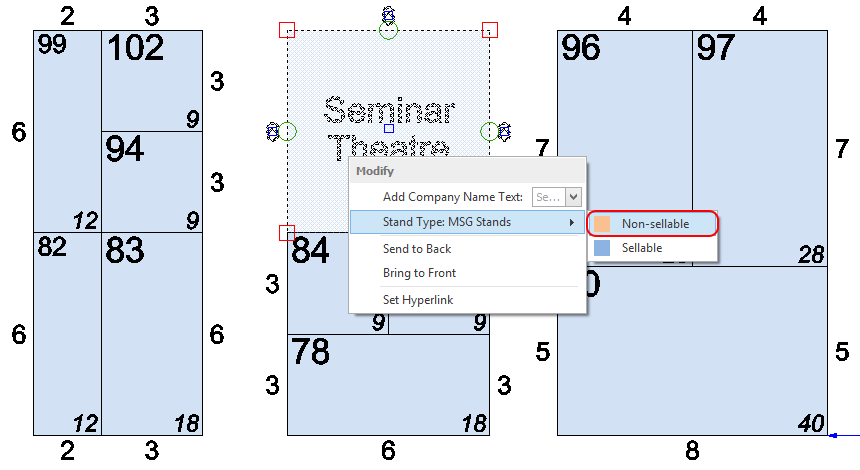
You now need to change the stands on your floorplan to either Sellable or Non-sellable for the MSG Stands plan type. If you do not do this then all stands will be set as Sellable. In the picture below, I have selected the stand that is Non-sellable, and then pressed F4 on my keyboard to bring up the mini menu which allows you to change the stand type quickly.
You can also select multiple stands and change the type using this function.
-
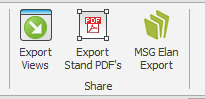
Once the stands have been set to how you want, click on MSG Elan Export which is located on the right hand side of the HOME menu:
-
The Save dialog will now appear asking you where to save the file. Select the location and change the name of the file if necessary and click Save.
-
The export is complete.
You can preview the export using the tool below.
To see the stand dimensions zoom in using your mouse wheel.