This function allows you to change the Stand Types of multiple stands in one go e.g. stand a whole row of stands to Shell Scheme. Find out what Plan Types and Stand Types are.
Changing Stand Types
-
Select the stands you would like to change the Stand Types for then click on the 'Change Types' button which is located on the Dynamic ribbon.
NOTE: The Dynamic Ribbon will not appear if you have entities other than stands selected, to deselect the other entities and only select stands, press F3. Remember to press F3 again once finished so you can select other entities.

-
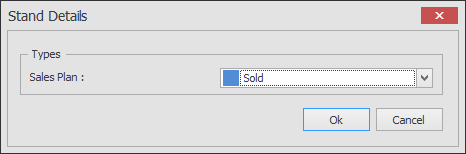
The below dialog box will now appear. Now just select the Stand Type you want to change to and click OK.