Image Options - Image Format
Use this function to set the file type for exported Images.
-
Click on the 'Manage Views' button which is located on the HOME menu ribbon.

-
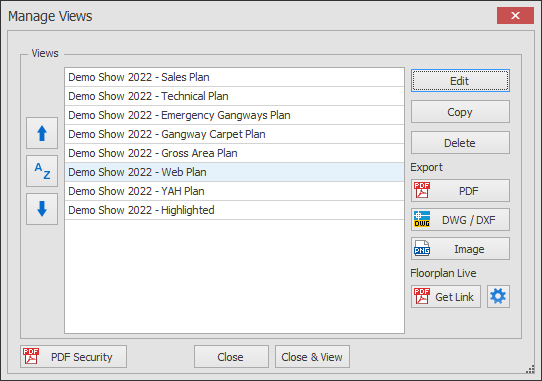
The Manage Views dialog box will now appear showing your list of views.
Select the View you want to edit and click the Edit button.
-
The Edit View dialog will now appear.
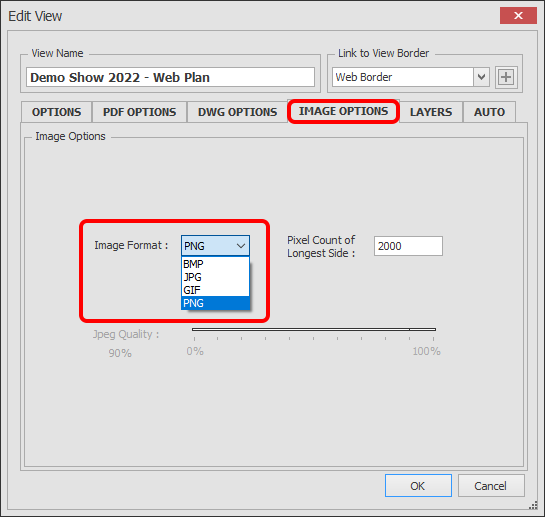
Click on the IMAGE OPTIONS tab to access the Image Format selector as shown below.
You have 4 file types to choose from, select the type required then click OK.
- PNG
- BMP
- JPG - Selecting this format will enable the JPEG quality Slider.
- GIF