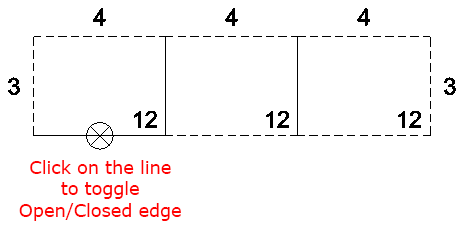
The Toggle Open/Closed Sides function allows you to change individual stand lines so they show as Open/Closed (dashed or solid lines). This is usually used after using the Calculate Open Sides function.
Toggle Open/Closed Sides
View the quick tutorial video (no sound) and/or follow the instructions below.
-
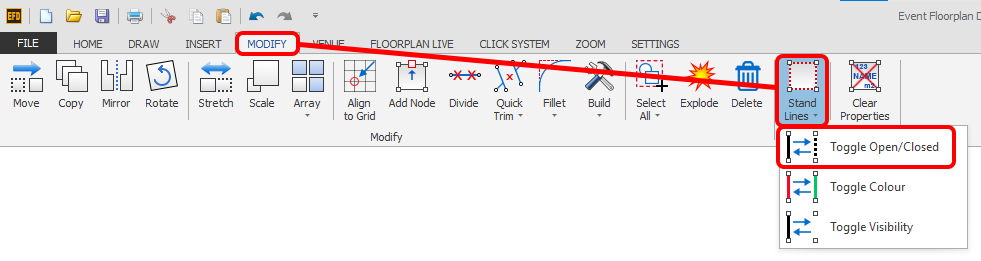
Click the 'Toggle Open/Closed' button which is located on the MODIFY ribbon in the Stands section.
-
Now just hover your mouse cursor over the middle of a Stand Line and a little circle with a cross in it will appear, then just click. The stand line will then change to a dashed line or, if it was dashed it will change to a solid line.