Removing Company Names using Stand Details box
-
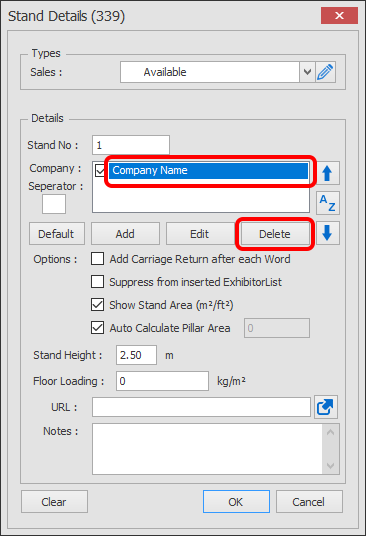
Double click on a stand to load up the Stand Details.
Select the name you want to edit then click the Delete button. You need to select the Name itself, not the tick box, the tick box is used for hiding names temporarily or when using sharing company names.
NOTE: Deleting Names from stands does not permanently delete them, so they can be selected again if needed. To permanently delete them, use the Company Names Manager.