Editing Company Names using Stand Details box
-
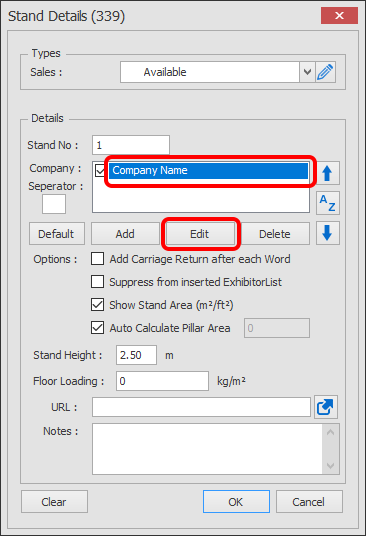
Double click on a stand to load up the Stand Details.
Select the name you want to edit then click the Edit button.
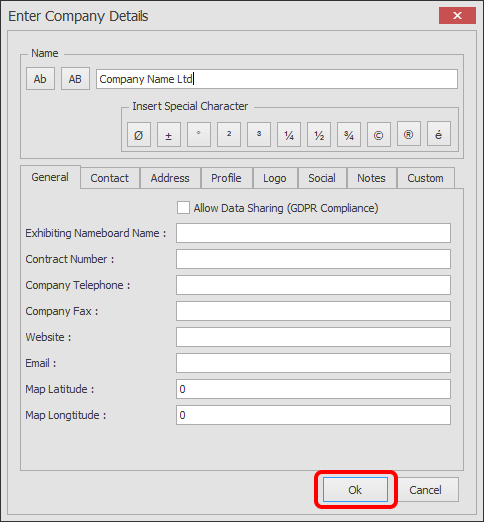
Edit the details as required then click OK
Double click on a stand to load up the Stand Details.
Select the name you want to edit then click the Edit button.
Edit the details as required then click OK