Adding Company Names using the F4 Menu
-
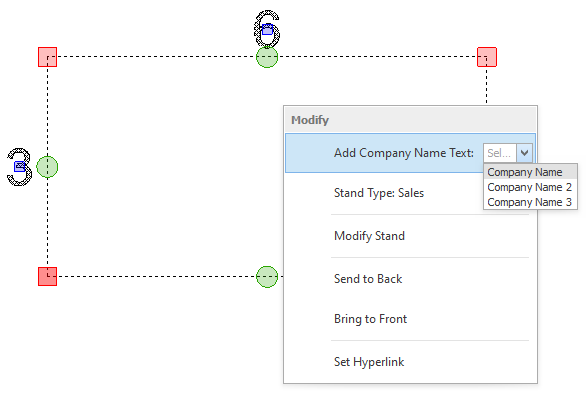
Select the stand(s) you want to add the name to and press F4 on your keyboard, a little menu will then appear as shown below.
Select the option that says 'Add Company Name Text:' and that has a drop down box to select the name from.
Select the name you want to add from the list and the name will be added to the stand(s) instantly.
TIP: When you select the drop down box you can start typing a name and it will jump to that name in the list, which saves you scrolling.