Adding / Editing and Deleting individual Stand Numbers
There are 2 ways to add, edit or delete individual Stand Numbers, both are described below.
Method 1 - Double Clicking a Stand
-
Double-click on the Stand you want to add/edit/delete the Stand Number for.
-
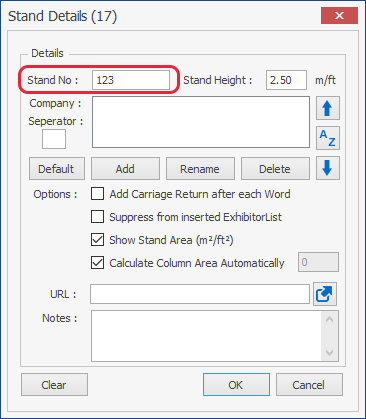
The Stand Details box will now appear as shown below.
Now just type in a Stand Number, edit a stand number or delete a stand number, then click OK.
Method 2 - Using the Stand List
-
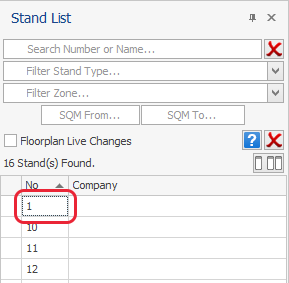
Find the the Stand you want to add/edit the number for using the Stand List, then click in the No. box (highighted in Red below) corresponding to that stand, wait one second and then click the box again.
You will now be able to add/edit/delete the Number, once done press Enter on your keyboard.