You can get a basic count of all the symbols placed on a floorplan using View Symbol Count.
-
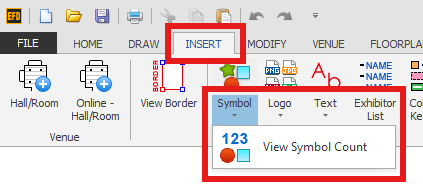
On the INSERT tab, click the bottom part of the Symbol button to expand it, then choose View Symbol Count.
-
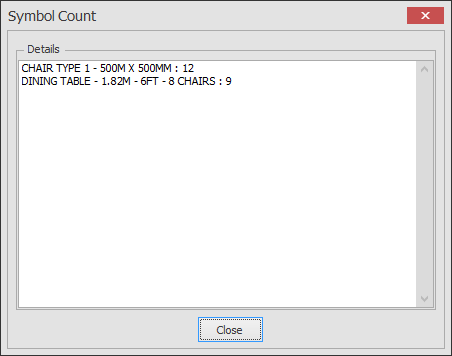
The Symbol Count dialog lists each symbol and how many are on the plan. Click Close when you have finished.
To count what is on a particular layer instead, see Find Entities on Layers. In Layer Manager, select the layer, click Edit Selected, then hover over the blue i icon next to the layer name to see how many entities and symbols are on that layer.