EFD Uninstall Help
-
First of all, make sure EFD is not running, if it is, close it down.
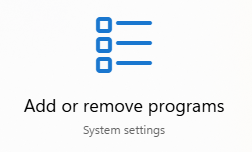
Using the search button on your Windows Task Bar, search for "Add or Remove Programs" and then select the Icon that appears in the results:

-
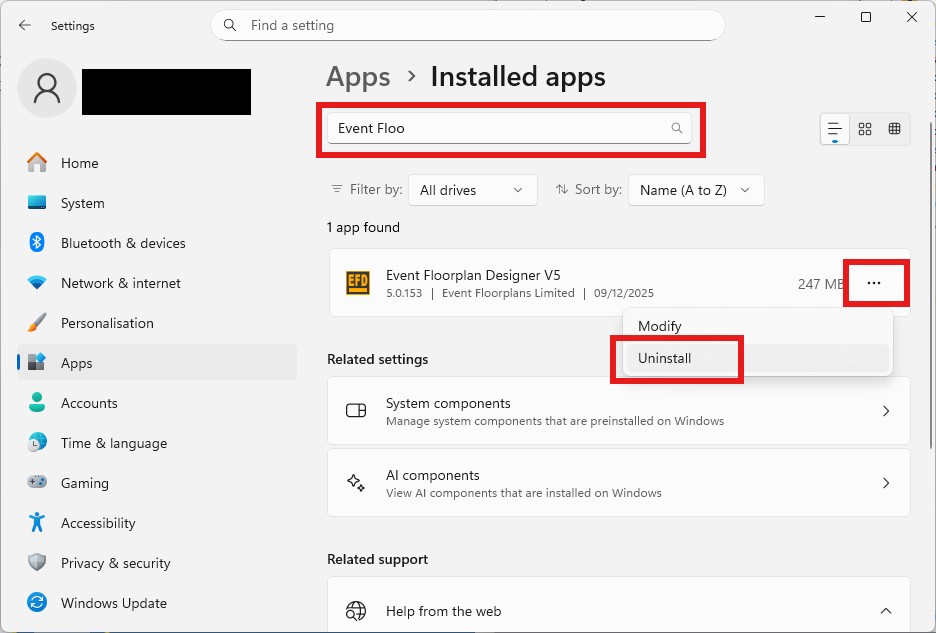
The below Window will now appear.
Start typing "Event Floorplan Designer" in the search bar to find the EFD installation.
Now click the 3 dots to the right of this entry and then Uninstall.
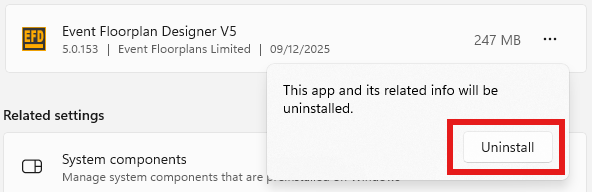
Another message will appear, click Uninstall again.
-
You will now get a message appear to confirm the uninstallation, click "Yes" to continue.
EFD has now been uninstalled.
If the reason you have uninstalled is because you have been getting errors, please also follow the below instructions to make sure everything is cleared out before reinstalling.
-
- Delete these folders from your computer:
C:\Program Files\Event Floorplan Designer V5
and
C:\Users\<USER>\AppData\Local\Event Floorplans Limited - Replace <USER> with the actual user name.
2. Reboot your computer
3. Now follow the installation instructions for reinstalling.