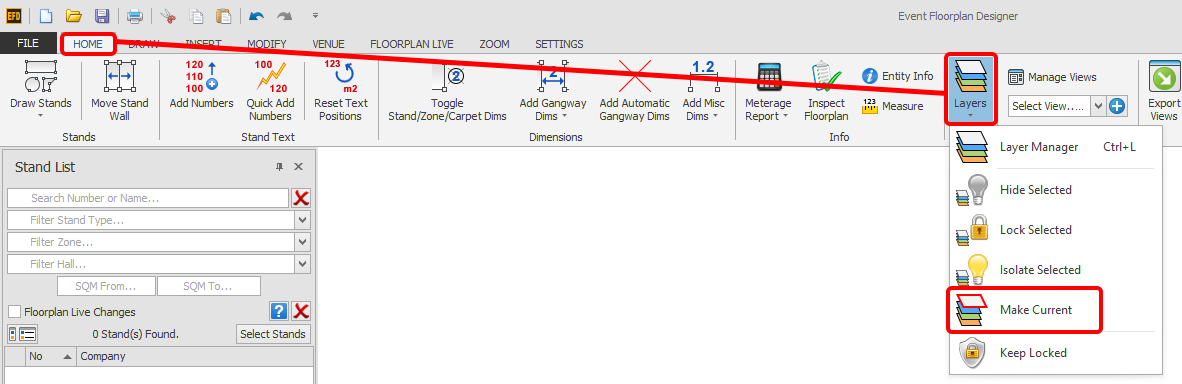
Change the current layer to that of a selected entity.
(Make Layer Current)
'Make Current' allows you to change the current layer to that of a selected entity. This is quicker than finding out the name of a layer that an entity is on, and then changing to that layer manually.
Make Layer Current
-
Select an entity that is on the layer you would like to make Current.
NOTE: If multiple entities on different layers are selected, this function will not work.
-
On the HOME menu, click the 'Layers' button and then 'Make Current'.
You Current Layer has now changed to that of your previously selected entity.