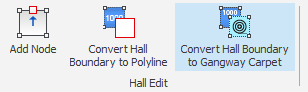
You can turn an existing Gross Area (hall boundary) into a gangway carpet.
NOTE: Converting a Gross Area replaces it with the gangway carpet. If you want to keep the Gross Area, make a copy of it first and convert the copy.
Select the Gross Area. The Hall Edit menu appears at the top of the screen. It only shows when a Gross Area is selected.
Click Convert Hall Boundary to Gangway Carpet.