Company Names Manager - Purge Unused Names

Company Names Manager

Purge Unused Names

  1. Click on the Company Name Manager button which is located under SETTINGS > Company Names Manager as shown below.
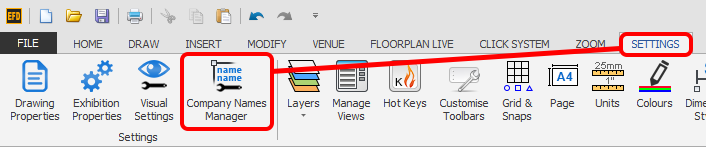
    Screenshot: Click on the Company Name Manager button which is located under SETTINGS > Company Names M
  2. Click the Purge Unused Names button.

    This will then remove all Names that are not allocated to any stands.

    If you want to delete names even if they are allocated to stands, please use the Delete Names function instead.
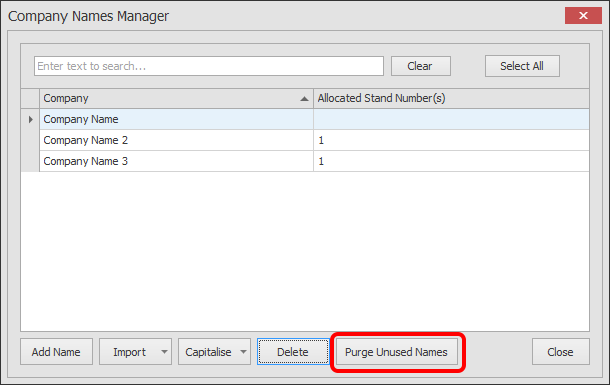
    Screenshot: If you want to delete names even if they are allocated to stands, please use the Delete Na

Related articles

Company Names Manager - Import NamesCompany Names Manager - Delete NamesCompany Names Manager - Add NamesCompany Names Manager - Edit NamesCompany Names Manager - Capitalising Names