Company Names Manager - Capitalising Names

Company Names Manager

Capitalising Names

  1. Click on the Company Name Manager button which is located under SETTINGS > Company Names Manager as shown below.
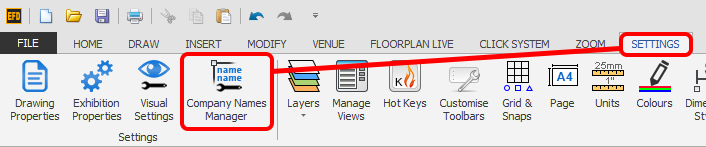
    Screenshot: Click on the Company Name Manager button which is located under SETTINGS > Company Names M
  2. Select the name(s) you want to Capitalise.

    TIP: You can select all names by clicking the Select All button. You can also use the SHIFT or CTRL on your keyboard to select names in the list.

    Click the Capitalise button and select the type of capitalisation you need.
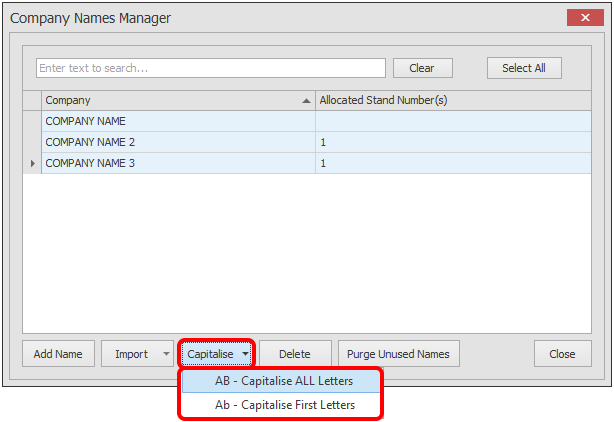
    Screenshot: Click the Capitalise button and select the type of capitalisation you need.

Related articles

Company Names Manager - Import NamesCompany Names Manager - Delete NamesCompany Names Manager - Add NamesCompany Names Manager - Edit NamesCompany Names Manager - Purge Unused Names