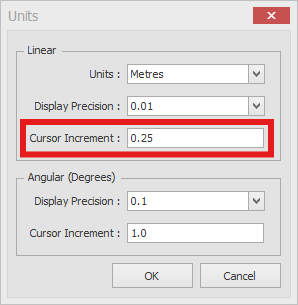
The Cursor Increment sets the steps your mouse moves in when you resize a Stand with the green circular node on its edge. It also sets the steps in X-Y coordinate mode. When you drag a Stand edge, EFD switches to X-Y coordinate mode automatically.
Click Units on the SETTINGS ribbon.
Under Linear, type the increment you want in Cursor Increment, for example 0.5.
Click OK.