Sometimes you need to find out more information about an entity such as how long a line is, or what layer is it on etc, to do this follow the below instructions:
Getting Entity Information
-
Select the Entity(s) you would like more information on.
-
Now click the 'Entity Info' button (or press CTRL + I) which is located on the HOME Ribbon in the Info section.
TIP: You can also initiate this function by using the default Hot Key ' Ctrl + I '
-
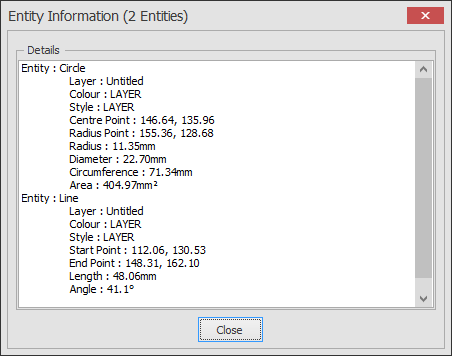
The following message box will now appear showing you all the available information: