Creating Stands from Polylines

This function is very useful for creating stands that need to be a very complex shape and that would not be very easy to do using the Irregular Stand function.

Creating Stands from a Polylines:

  1. Select the polyline(s) that you would like to convert to a stand(s).
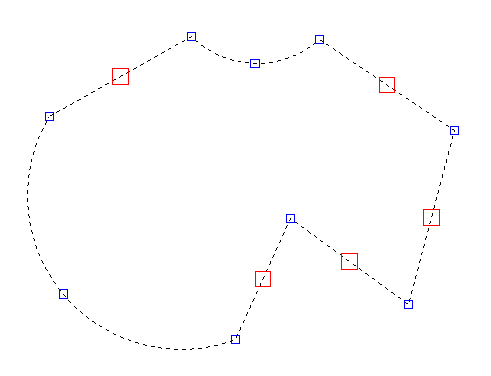
    Screenshot: Select the polyline(s) that you would like to convert to a stand(s).
  2. Now select the 'Create from Polylines' option from the Draw Stands button on the HOME ribbon as highlighted in Blue on the picture below.
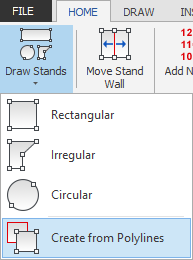
    Screenshot: Now select the 'Create from Polylines' option from the Draw Stands button on the HOME ribb
  3. The polyline(s) will now be converted to a stand(s), adding the dimensions as necessary.
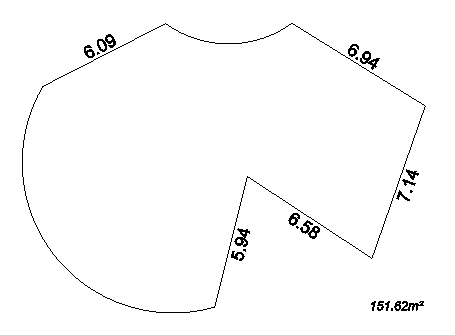
    Screenshot: The polyline(s) will now be converted to a stand(s), adding the dimensions as necessary.
  4. All you need to do now is add your stand number and name and position the text as required.
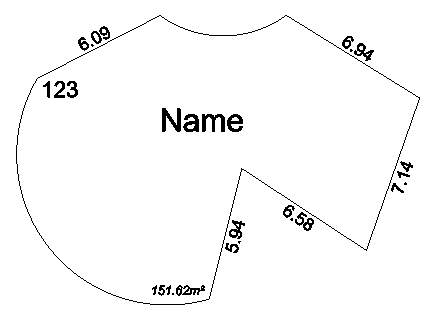
    Screenshot: All you need to do now is add your stand number and name and position the text as required

Related articles

Draw Rectangular StandsDraw Rectangular Stands - Type SizeDraw Rectangular Stands - AngledDrawing Irregular Shaped StandsDrawing Circular StandsBuild/Convert Stands From Imported DWG